
Events Overview
Eventixa gives you a central WordPress event management workflow for creating events, adding tickets, managing registrations, assigning venues and organizers, and connecting related event features.
Available in: Eventixa Core
Pro enhancements: Recurring events, advanced virtual event integrations, waitlist, reports, and other premium features
Location: Eventixa → Events
What Is an Event in Eventixa?
An Eventixa event is the main record that connects the different parts of your event workflow.
An event can include:
- Title and description
- Date and time
- Event category
- Venue
- Organizer
- Event type
- Tickets or RSVP
- Attendee fields
- Speakers and performers
- Sessions and agenda
- Virtual meeting information
- Recurrence
- Waitlist options
Bookings, attendees, emails, payments, and check-in can then connect back to that event.
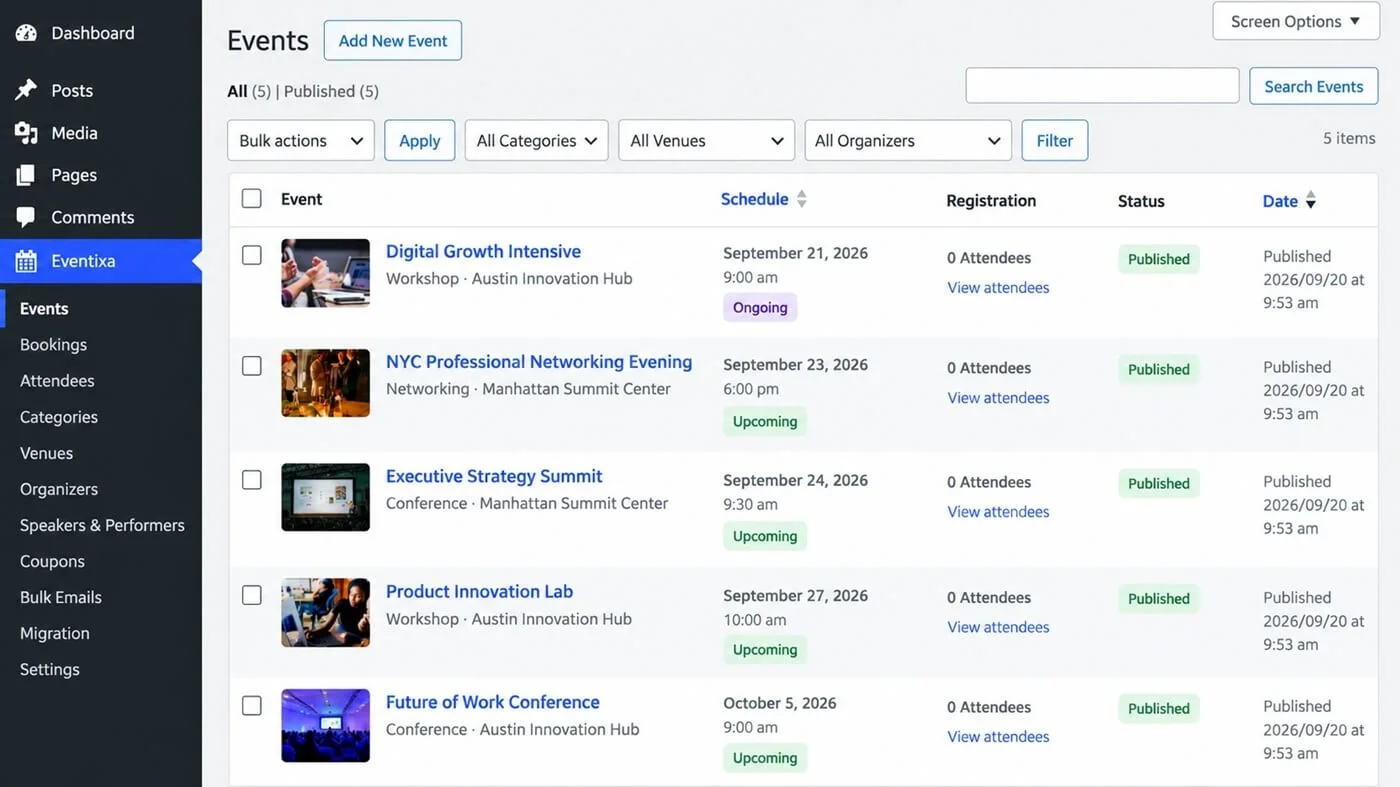
Open the Events Screen
Go to:
Eventixa → Events
From here, you can:
- Create a new event
- Edit existing events
- Review event schedules
- Check registration counts
- See event status
- Identify recurring events
- Access event-related actions
Main Parts of an Event
| Event Area | Purpose |
|---|---|
| Date & Time | Controls when the event takes place |
| Categories | Organizes events into groups |
| Venue | Stores the physical event location |
| Organizer | Identifies who manages the event |
| Tickets & RSVP | Controls registration |
| Attendee Fields | Collects attendee information |
| Speakers & Performers | Adds event participants |
| Sessions & Agenda | Builds the event schedule |
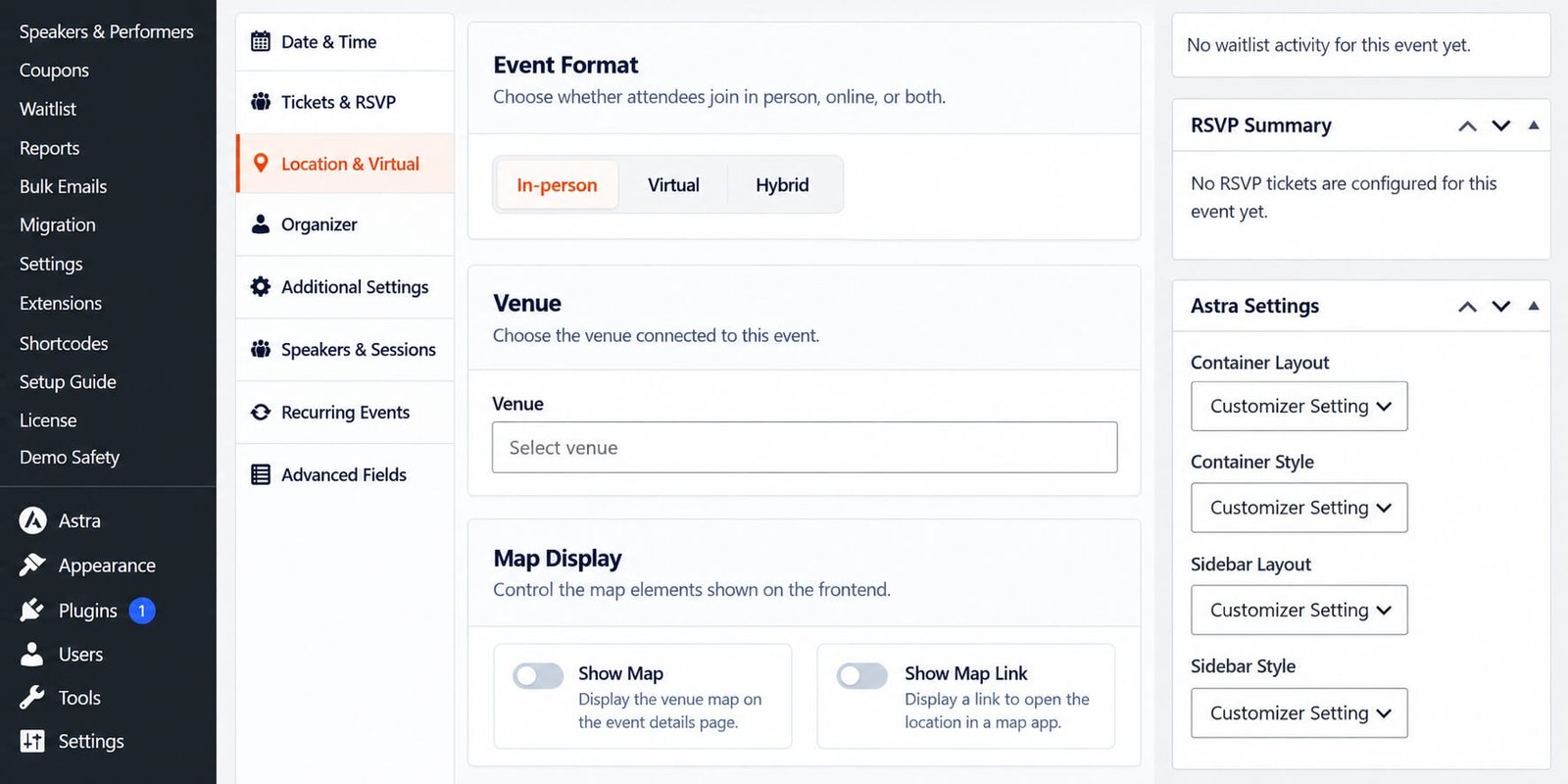
| Location & Virtual | Configures in-person or online access |
| Recurring Events | Creates repeating occurrences |
| Waitlist | Handles sold-out ticket demand |
Not every event needs every feature.
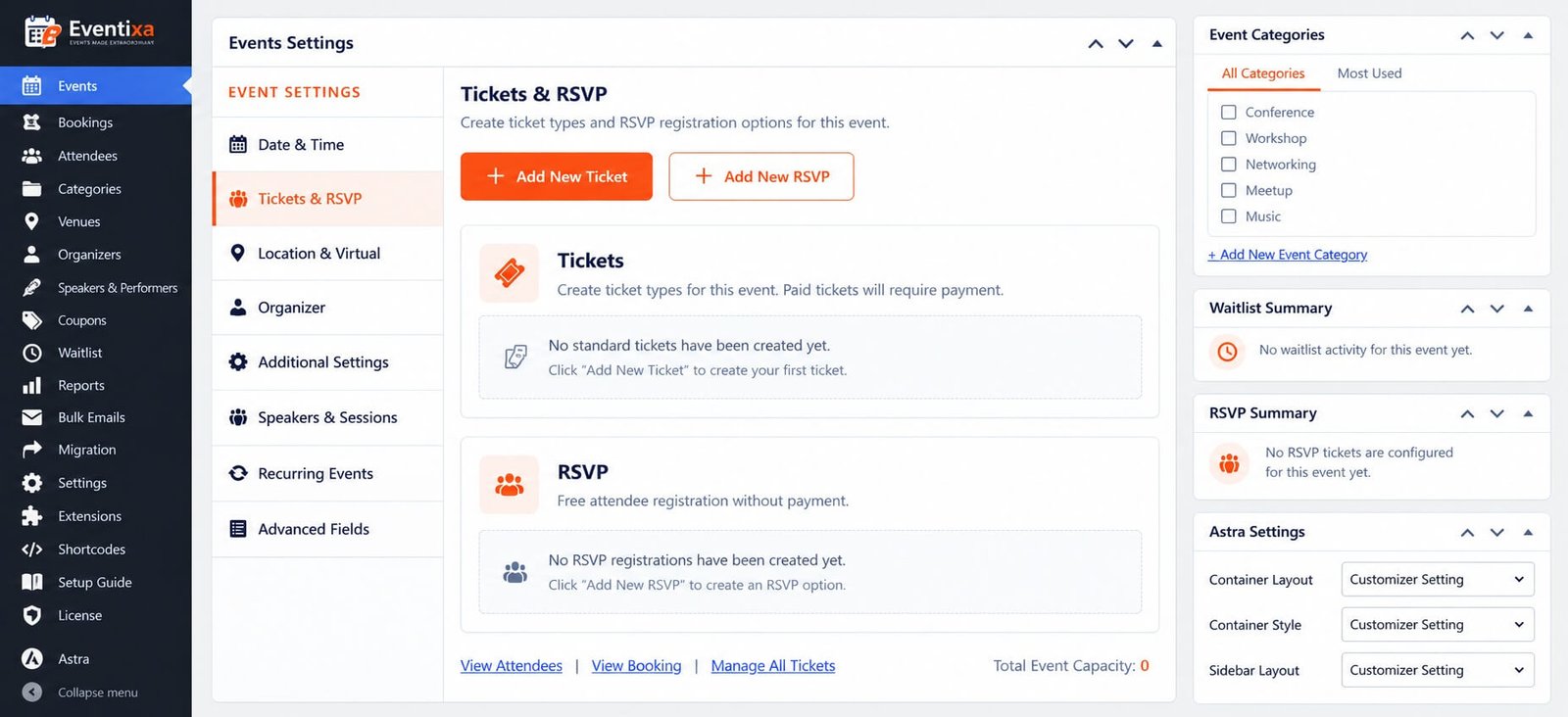
Use only the areas required for that event.
Event Types
Eventixa supports different event formats.
In-Person
Use this for events held at a physical venue.
Examples:
- Conferences
- Workshops
- Meetups
- Exhibitions
Virtual
Use this for online events.
Depending on your Eventixa edition, virtual events can use:
- Custom Meeting URL
- Zoom
- Google Meet
Hybrid
Use this when attendees can participate both:
- At a physical venue
- Online
For detailed configuration, see the dedicated In-Person, Virtual & Hybrid Events documentation when available.
Tickets and Registration
Eventixa events can use different registration models.
These can include:
- Free tickets
- Paid tickets
- RSVP registration
Ticket settings can control:
- Price
- Capacity
- Sale dates
- Quantity limits
- Attendee information
For detailed configuration, see How to Create an Event in WordPress with Eventixa.
Venues and Organizers
Venues and organizers are reusable records.
This means you can create them once and assign them to multiple events.
Use: Eventixa → Venues and Eventixa → Organizers
This helps keep event information consistent across your website.
Speakers, Performers and Sessions
Eventixa can also support professional event content such as:
- Speakers
- Performers
- Presenters
- Sessions
- Event agenda
This is useful for:
- Conferences
- Festivals
- Training programs
- Multi-session workshops
These features are documented separately so the main event workflow stays simple.
Recurring Events
Requires: Eventixa Pro
Recurring events let you create multiple event occurrences without manually creating the same event again and again.
Recurring functionality can also work with:
- Tickets
- Sessions
- Virtual meetings
- QR tickets
- Check-in
Event Status and Schedule
The Events screen can show information such as:
- Event date
- Event time
- Upcoming or ongoing status
- Recurring status
- Number of future occurrences
- Registration count
- Publication status
This makes it easier to review your event schedule from one screen.
Typical Event Workflow
A typical Eventixa event follows this structure:
Create event → Configure date and location → Add tickets → Publish → Accept registrations → Manage bookings and attendees
For more advanced events, the workflow can also include:
- Speakers
- Sessions
- Recurrence
- Virtual meetings
- Waitlist
- QR check-in
- Reports
Before Publishing an Event
Check the following:
- Event title and description
- Date and time
- Event type
- Venue or virtual access
- Organizer
- Ticket or RSVP setup
- Ticket capacity
- Attendee fields
- Payment method for paid tickets
Then complete at least one test registration.
Related Documentation
Continue with:


