
Ticket Capacity allows you to control how many tickets are available for your event. By setting ticket limits, you can manage attendance, prevent overselling, and ensure your event stays within its capacity.
What is Ticket Capacity?
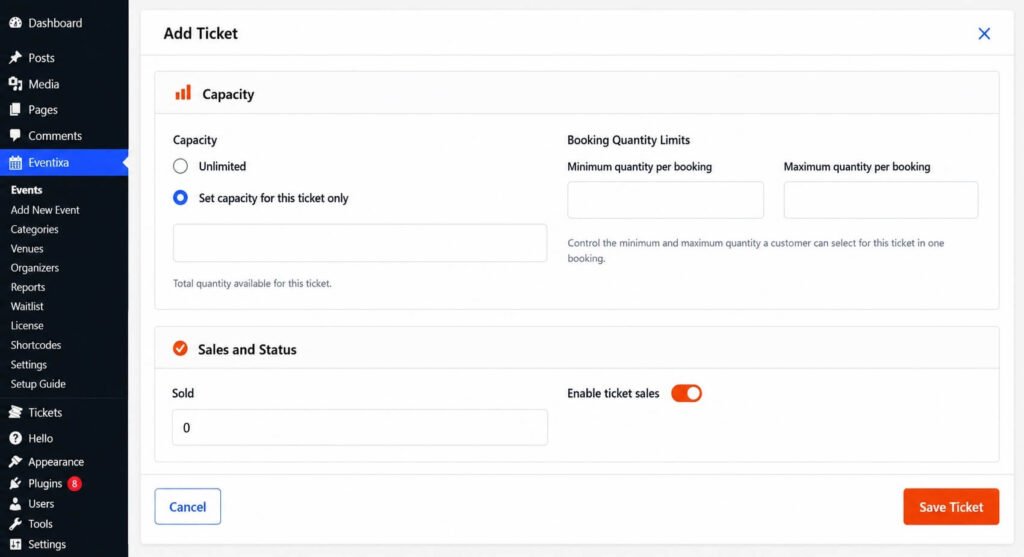
Ticket Capacity defines the maximum number of tickets that can be sold or reserved for a ticket type.
Each ticket can have its own capacity, allowing you to offer multiple ticket types with different availability.
For example:
| Ticket Type | Capacity |
|---|---|
| General Admission | 200 |
| VIP | 50 |
| Student | 100 |
Set Ticket Capacity
To configure ticket capacity:
- Go to Eventixa → Events.
- Create or edit an event.
- Navigate to Tickets & RSVP.
- Create a new ticket or edit an existing one.
- Select the Capacity Type: Unlimited or Fixed Capacity
- Enter the if capacity if Fixed Capacity Option Selected.
- Save the ticket.
Available Quantity
The Available Quantity determines how many tickets are available for attendees.
For example:
- Available Quantity: 100
- Tickets Sold: 35
- Remaining Tickets: 65
Once all available tickets have been sold or reserved, the ticket is automatically marked as Sold Out.
Minimum Tickets Per Booking
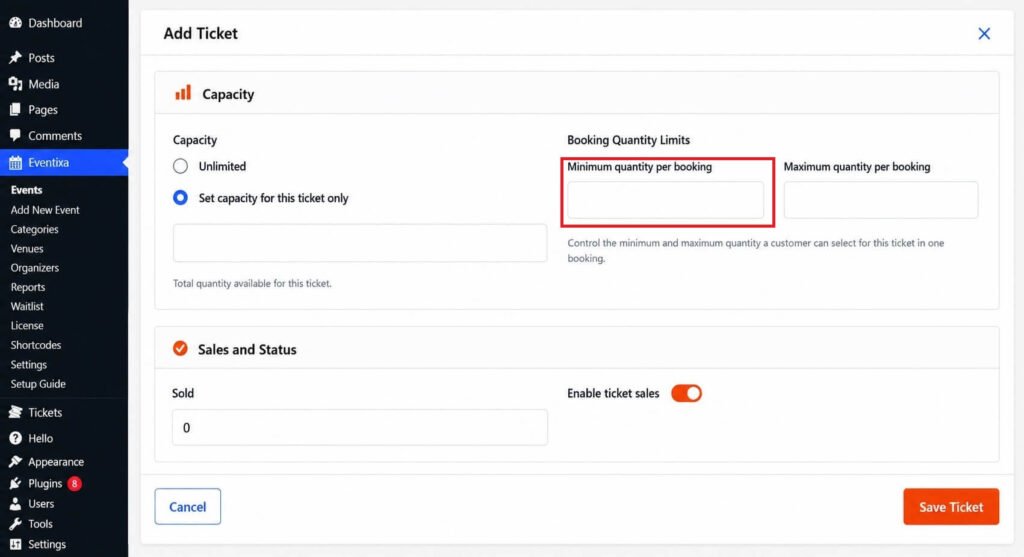
You can specify the minimum number of tickets that must be selected in a single booking.
Example:
Minimum Tickets Per Booking: 2
Attendees must purchase at least two tickets before proceeding to checkout.
Maximum Tickets Per Booking
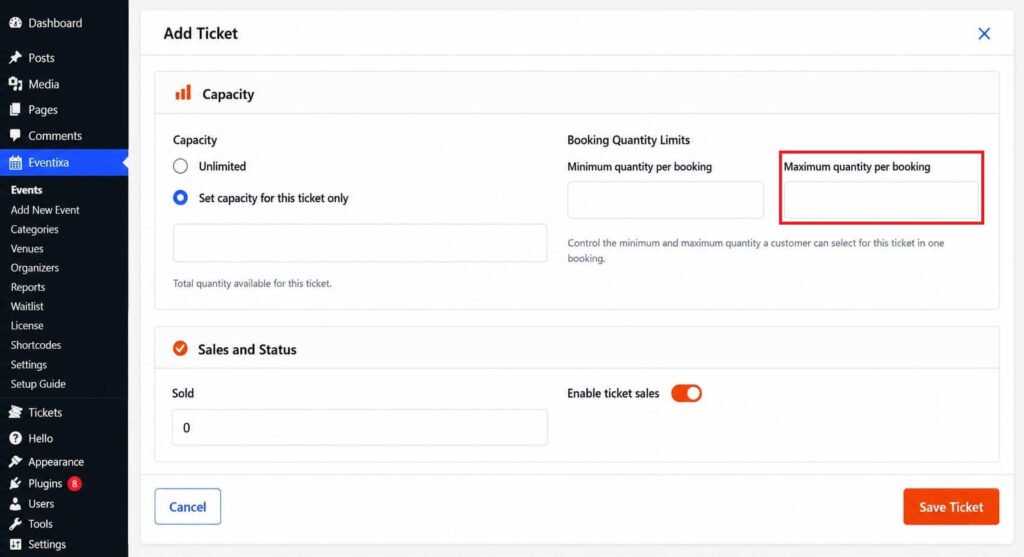
Limit the number of tickets a customer can purchase in a single order.
Example:
Maximum Tickets Per Booking: 5
This helps prevent bulk purchases and ensures fair ticket distribution.
Sold Out Tickets
When the available quantity reaches zero:
- The ticket is automatically marked as Sold Out.
- New purchases are no longer allowed.
- Existing bookings remain unaffected.
Visitors will clearly see that the ticket is no longer available.
Managing Capacity
You can update ticket capacity at any time.
Simply edit the ticket and adjust the available quantity.
For example:
- Increase capacity to release additional tickets.
- Decrease capacity if your venue capacity changes.
After saving, the updated availability is immediately reflected on the event page.
Best Practices
- Set realistic ticket quantities based on your venue capacity.
- Use booking limits to prevent bulk purchases.
- Monitor ticket availability regularly for popular events.
- Increase capacity only if additional seats or spaces become available.
- Review ticket sales before making capacity changes.
Frequently Asked Questions
Can I change the ticket capacity after publishing the event?
Yes. You can edit the ticket at any time and update its available quantity.
What happens when all tickets are sold?
The ticket is automatically marked as Sold Out, and attendees can no longer purchase or reserve it.
Can different ticket types have different capacities?
Yes. Each ticket type has its own independent capacity and booking limits.
Does ticket capacity affect other ticket types?
No. Each ticket manages its own availability independently.


