
Eventixa offers multiple recurrence types, allowing you to schedule events that repeat automatically. Choose the recurrence pattern that best fits your event schedule.
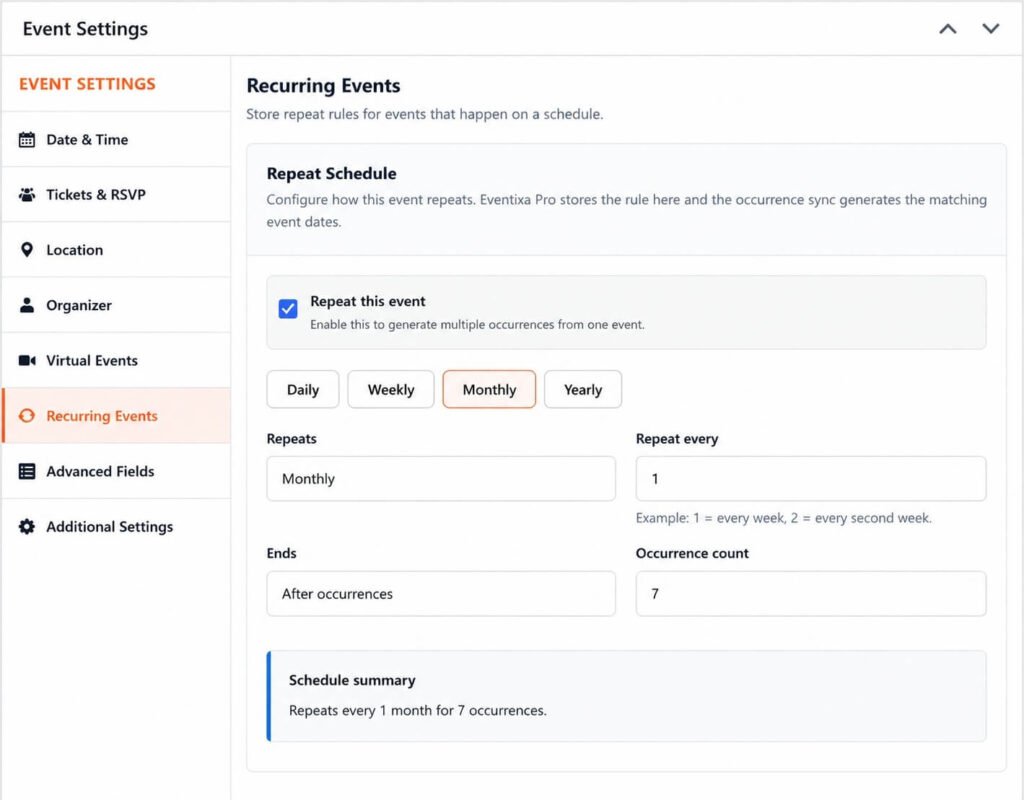
Daily
The Daily recurrence type repeats an event at a fixed interval of days.
For example:
- Every day
- Every 2 days
- Every 5 days
This is ideal for:
- Training sessions
- Fitness classes
- Multi-day workshops
- Daily meetings
Weekly
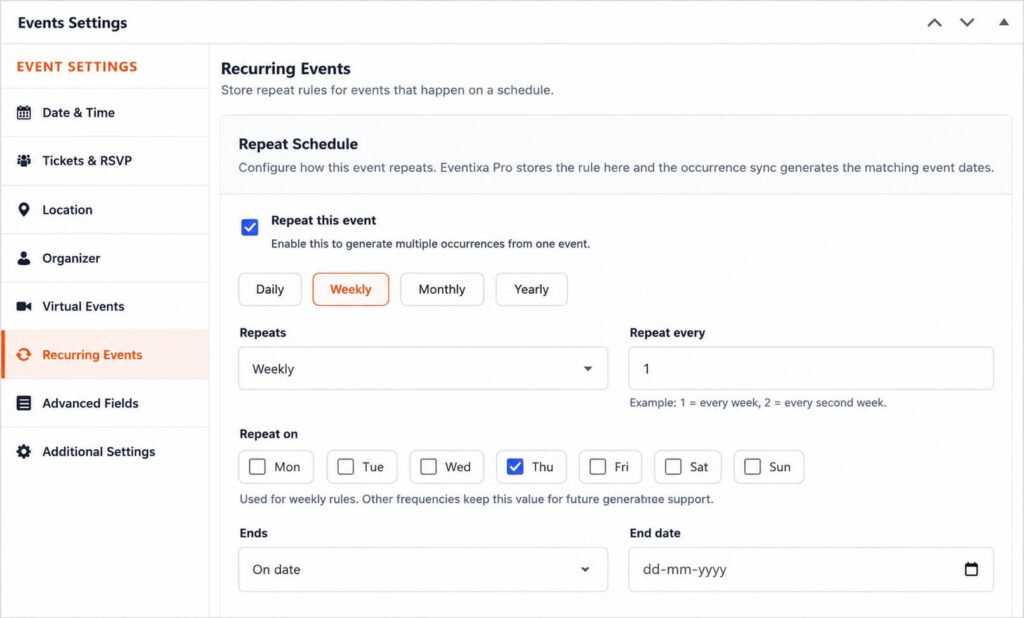
The Weekly recurrence type repeats an event on selected weekdays.
You can choose:
- Every week
- Every 2 weeks
- Every 3 weeks
You can also select one or multiple days, such as:
- Monday
- Wednesday
- Friday
This is ideal for:
- Weekly classes
- Team meetings
- Club activities
- Community events
Monthly
The Monthly recurrence type repeats an event every month.
You can schedule the event by:
- A specific day of the month (e.g., the 15th)
- A specific weekday (e.g., the first Monday)
This is ideal for:
- Monthly seminars
- Board meetings
- Membership events
- Networking sessions
Yearly
The Yearly recurrence type repeats an event once every year on the selected date.
This is commonly used for:
- Annual conferences
- Festivals
- Company anniversaries
- Award ceremonies
Recurrence End Options
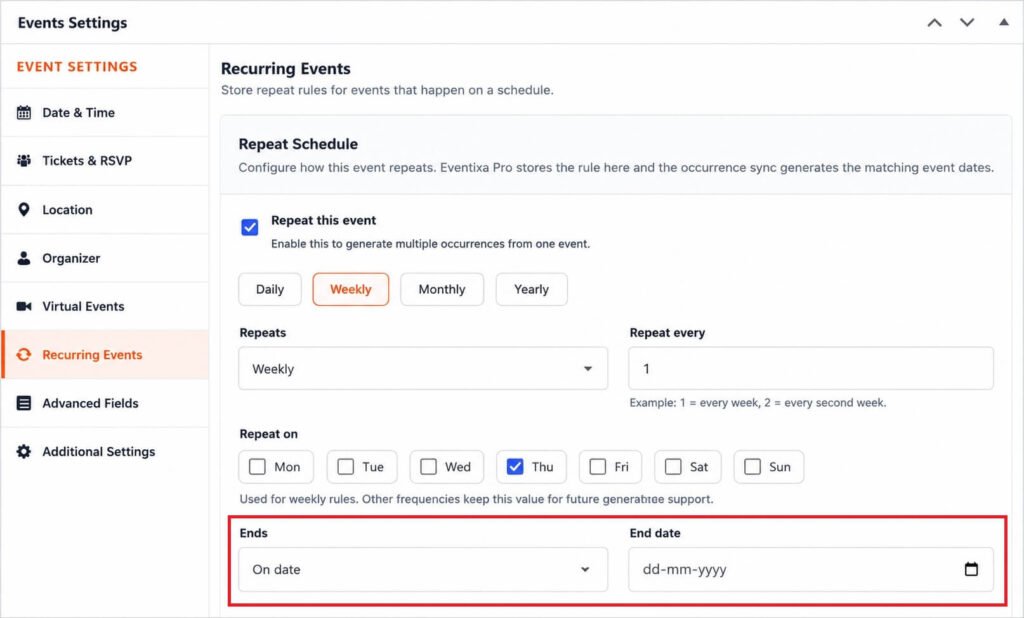
Each recurrence type supports different ways to end the schedule.
You can choose:
- Never Ends – Continue generating future occurrences indefinitely.
- Ends On – Stop on a specific date.
- Ends After – Stop after a specified number of occurrences.
Choosing the Right Recurrence Type
| Recurrence Type | Best For |
|---|---|
| Daily | Daily classes, workshops, training sessions |
| Weekly | Meetings, courses, recurring weekly events |
| Monthly | Monthly seminars, networking events, clubs |
| Yearly | Annual conferences, festivals, celebrations |
Tips
- Choose the simplest recurrence type that matches your event schedule.
- Review the generated occurrences before publishing.
- Use an appropriate end condition to avoid creating unnecessary future events.
- If your schedule changes later, you can update the recurrence settings without creating a new event.


