
The Sale Schedule allows you to control when tickets become available for purchase or registration. By setting a sale start and end date, you can automatically open and close ticket sales without any manual intervention.
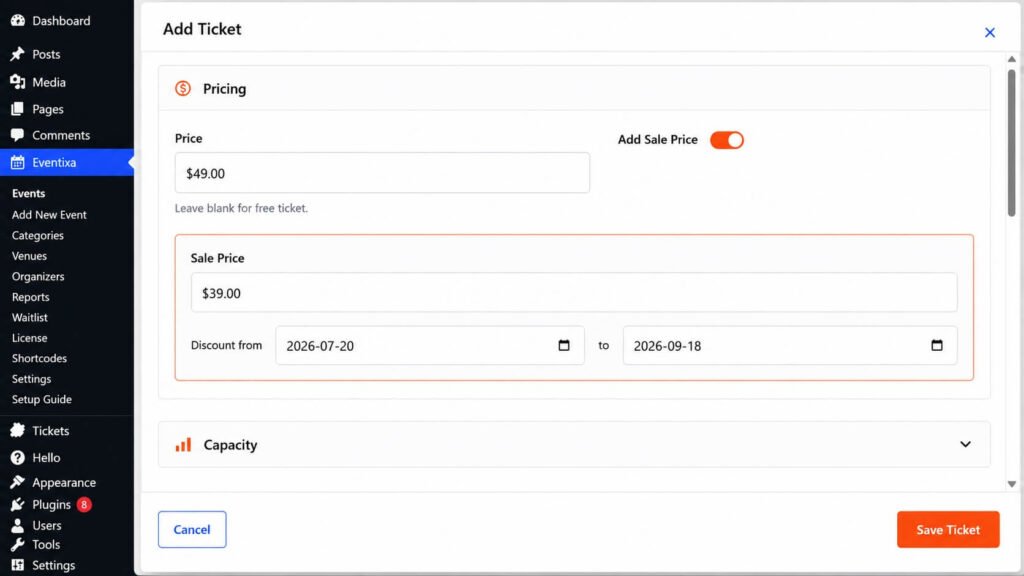
What is a Sale Schedule?
A Sale Schedule defines the period during which attendees can purchase or reserve a ticket.
You can specify:
- Sale Start Date & Time – When ticket sales begin.
- Sale End Date & Time – When ticket sales end.
Outside this period, the ticket will not be available for purchase.
Configure the Sale Schedule
To set a sale schedule:
- Go to Eventixa → Events.
- Create or edit an event.
- Navigate to Tickets & RSVP.
- Create a new ticket or edit an existing one.
- Set the Sale Start and Sale End date and time.
- Save the ticket.
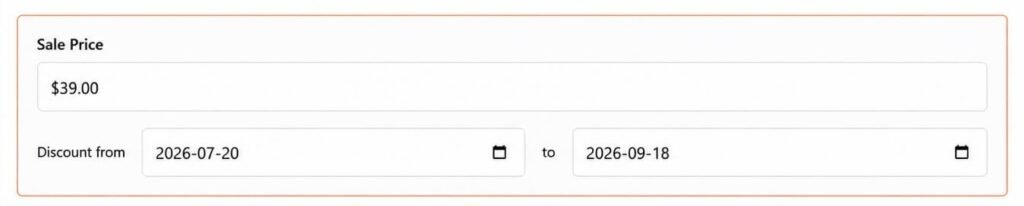
Sale Start
The Sale Start date determines when attendees can begin purchasing or reserving tickets.
Before this date:
- The ticket is not available for purchase.
- Visitors cannot select the ticket.
- The ticket will automatically become available at the scheduled time.
Example
| Sale Starts | Result |
|---|---|
| 1 July 2026, 10:00 AM | Ticket becomes available at the specified date and time. |
Sale End
The Sale End date determines when ticket sales will automatically close.
After this date:
- The ticket can no longer be purchased.
- New registrations are prevented.
- Existing bookings remain unchanged.
Example
| Sale Ends | Result |
|---|---|
| 30 July 2026, 6:00 PM | Ticket sales automatically close. |
Example Sale Schedule
Suppose your event takes place on 15 August 2026.
You could configure the ticket as follows:
| Setting | Value |
|---|---|
| Sale Starts | 1 July 2026 |
| Sale Ends | 14 August 2026 |
| Event Date | 15 August 2026 |
This allows attendees to purchase tickets before the event while automatically closing sales one day prior.
Multiple Ticket Schedules
Each ticket type can have its own sale schedule.
For example:
| Ticket Type | Sale Period |
|---|---|
| Early Bird | 1 Jul – 15 Jul |
| Regular Admission | 16 Jul – 10 Aug |
| Last Minute | 11 Aug – 14 Aug |
This makes it easy to offer different pricing phases for the same event.
Automatic Availability
Eventixa automatically manages ticket availability based on the configured sale schedule.
A ticket may appear as:
- Available – During the sale period.
- Sold Out – When all available tickets have been purchased.
No manual action is required.
Best Practices
- Open ticket sales well before your event date.
- Close ticket sales before the event begins to avoid last-minute issues.
- Use separate sale periods for Early Bird, Regular, and VIP tickets.
- Double-check the sale dates before publishing your event.
- Consider your website’s time zone when scheduling ticket sales.
Frequently Asked Questions
Can I change the sale schedule after publishing the event?
Yes. You can edit the ticket at any time and update its sale start or end date.
What happens after the sale end date?
The ticket automatically becomes unavailable, and attendees can no longer purchase or reserve it.
Can different ticket types have different sale periods?
Yes. Each ticket type has its own independent sale schedule.
Will tickets become available automatically?
Yes. Eventixa automatically opens and closes ticket sales according to the configured schedule.


