
Eventixa allows you to create virtual events, making it easy to host webinars, online meetings, live streams, and other online experiences without a physical venue.
Enable a Virtual Event
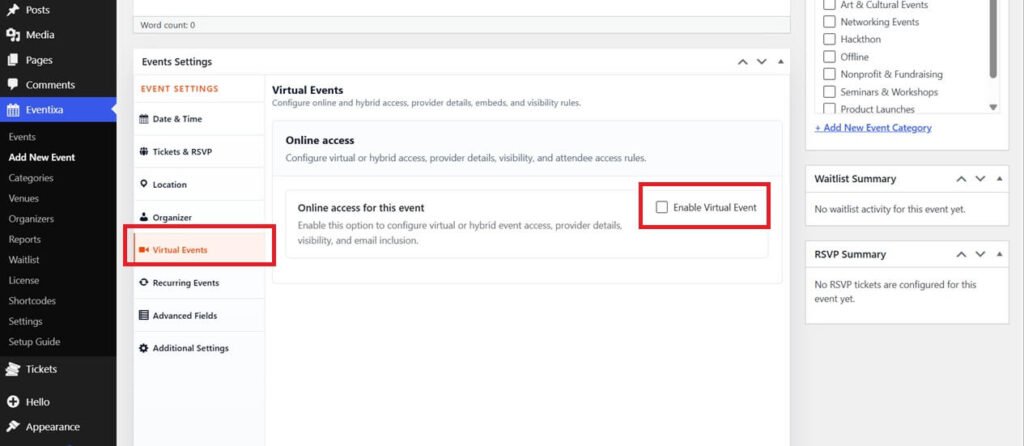
- Go to Eventixa → Events.
- Create a new event or edit an existing one.
- In the Event Details section, enable the Virtual Event option.
- Save or update the event.
Add the Meeting Link
Once the event is marked as virtual, enter the online meeting or streaming URL.
You can use platforms such as:
- Zoom
- Google Meet
- Microsoft Teams
- YouTube Live
- Vimeo Live
- Any custom meeting or streaming URL
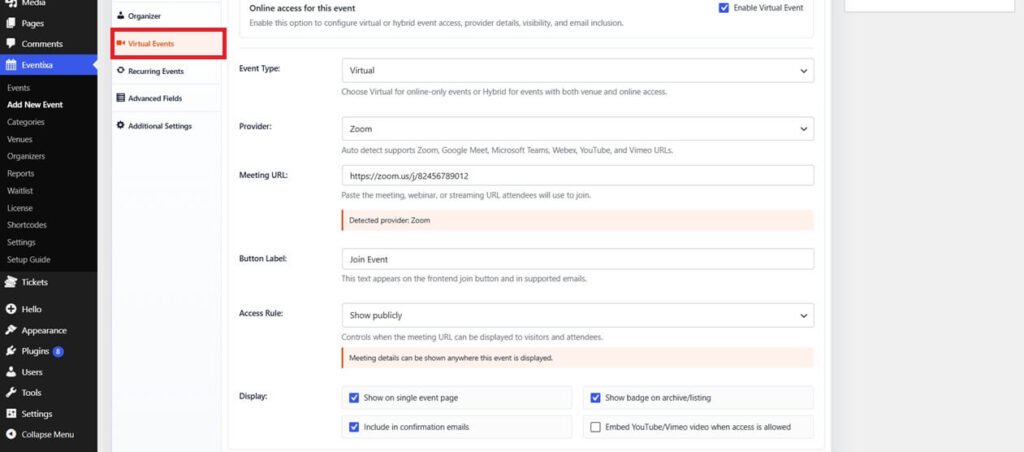
Access Rule: Admin can set join event link on the basis of these access rules.
- Show Publicly
- Show after booking confirmed
- Show after booking paid
- Show after event start
Publish the Event
After completing the event details, click Publish or Update.
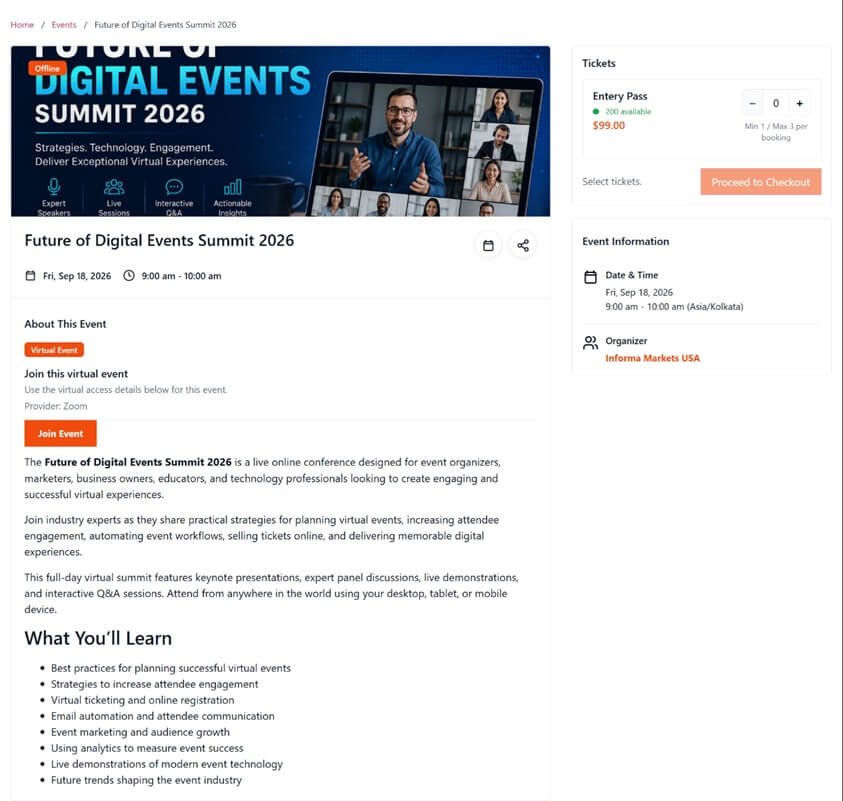
Visitors will see that the event is virtual, and attendees can join using the provided meeting link.
Tips
- Verify your meeting link before publishing the event.
- Share the meeting link only with registered attendees if your event is private.
- Include joining instructions in the event description for a better attendee experience.


